Modules
One program – the whole workshop process
Every module works on the same project. A change in 3D instantly updates the cut list, optimisation, work order and G-code.
Modules
One program – the whole workshop process
Every module works on the same project. A change in 3D instantly updates the cut list, optimisation, work order and G-code.
3D design & quick entry
Enter the walls, pick a shape and the program lays out the kitchen. Or type elements as short codes – "80s 60m 60p" – and the kitchen is done.
- I, L, U shape and island
- 100+ ready elements, edited with the mouse
- Kitchen from a paper sketch (optional AI)
- Collision and wall-length checks
How it works
- 1New job → enter the room walls
- 2Pick a shape (I, L, U) or type codes like “80s 60m 60p”
- 3Move and swap cabinets in 3D with the mouse
StudioProject — 3D design
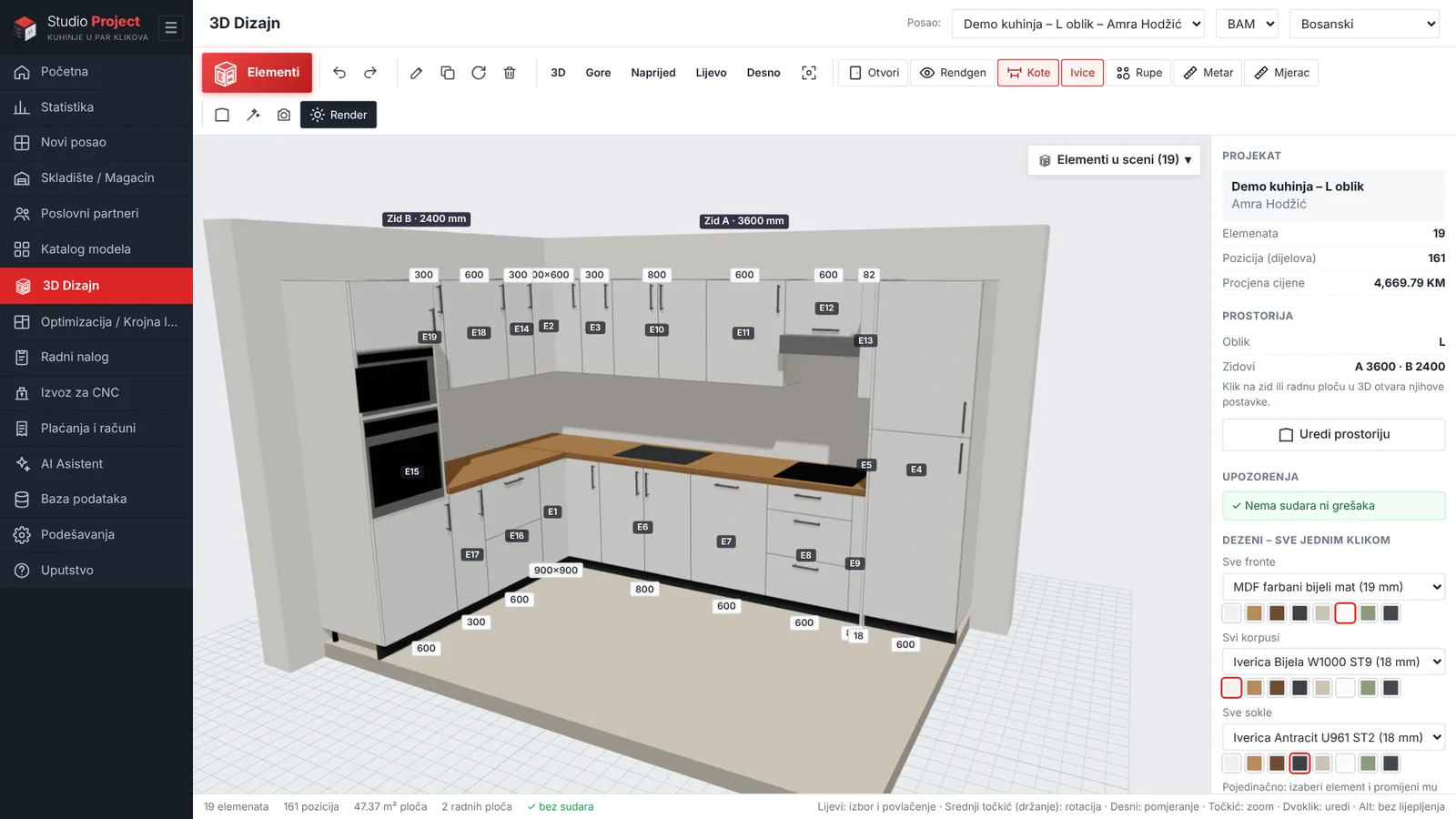
Quick entry – type it and the kitchen is done
Ready to speed up your workshop?
Request a demo and see the program on your own project.